
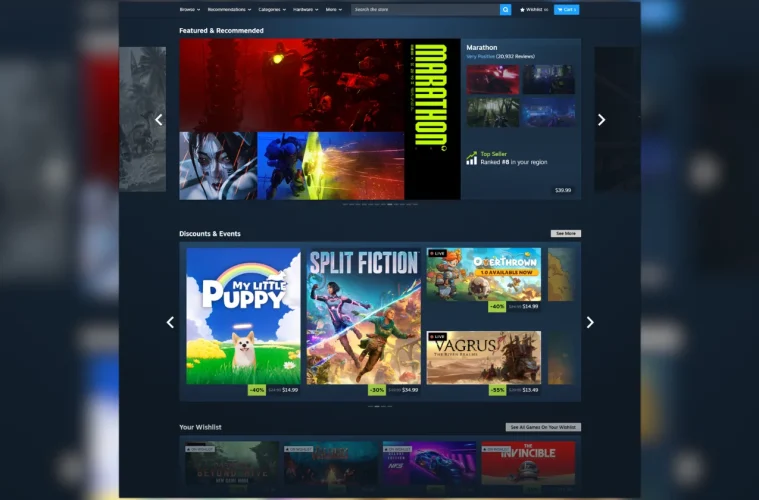
Valve has rolled out a significant visual refresh to the Steam store homepage, and it is available right now if you opt into the Steam Client Beta. Rather than pulling an April Fools’ prank, the company quietly pushed out a redesign that genuinely improves how the storefront looks and functions, with higher resolution artwork, new discovery features, and a wider layout for modern displays.
The update follows on from the game page improvements Valve made a few months back, continuing a broader effort to modernise how players browse and discover titles on the platform. It applies to the desktop client, Steam Deck, and Big Picture mode.
What The Steam Store Refresh Actually Changes
The core goal here is cohesion. Over the years, Valve has bolted on new sections and discovery tools piecemeal, and the store homepage had started to feel a bit disjointed. This refresh pulls everything into a more consistent visual language while still letting each section do its own thing.
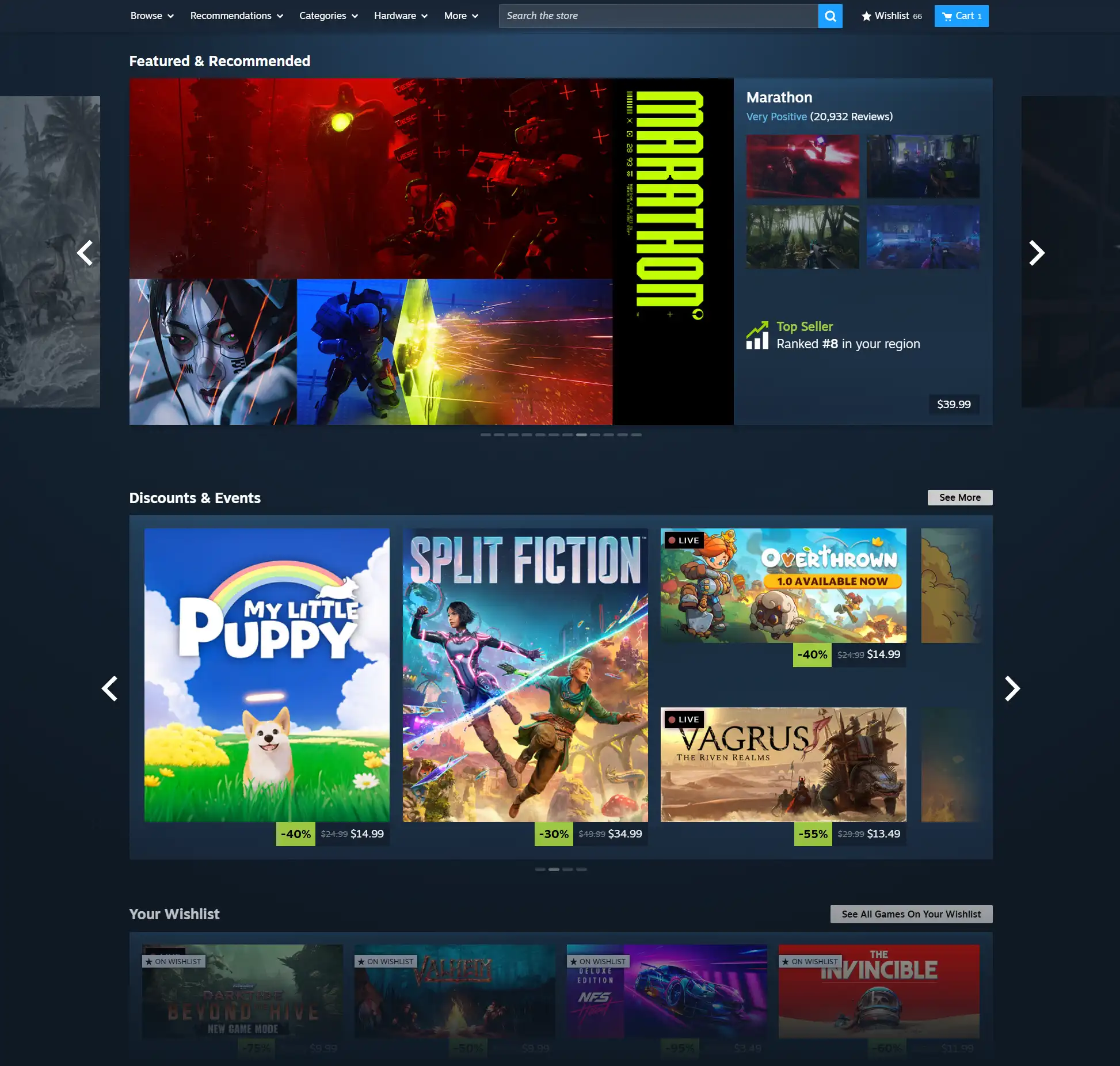
Overall Design Refresh
The Featured and Recommended section has seen the most notable upgrade. It now shows more detailed reasoning for why a game is being surfaced to you, alongside a user review roundup.
Hover over a game’s cover art and a micro-trailer plays automatically, giving you a quick look at the gameplay without clicking through. Valve has also added a sneak peek of adjacent games in the carousel, so you can see what is coming next without scrolling.
For anyone with motion sensitivity, the micro-trailer hovers and animated marketing assets can be switched off entirely in Store Settings.
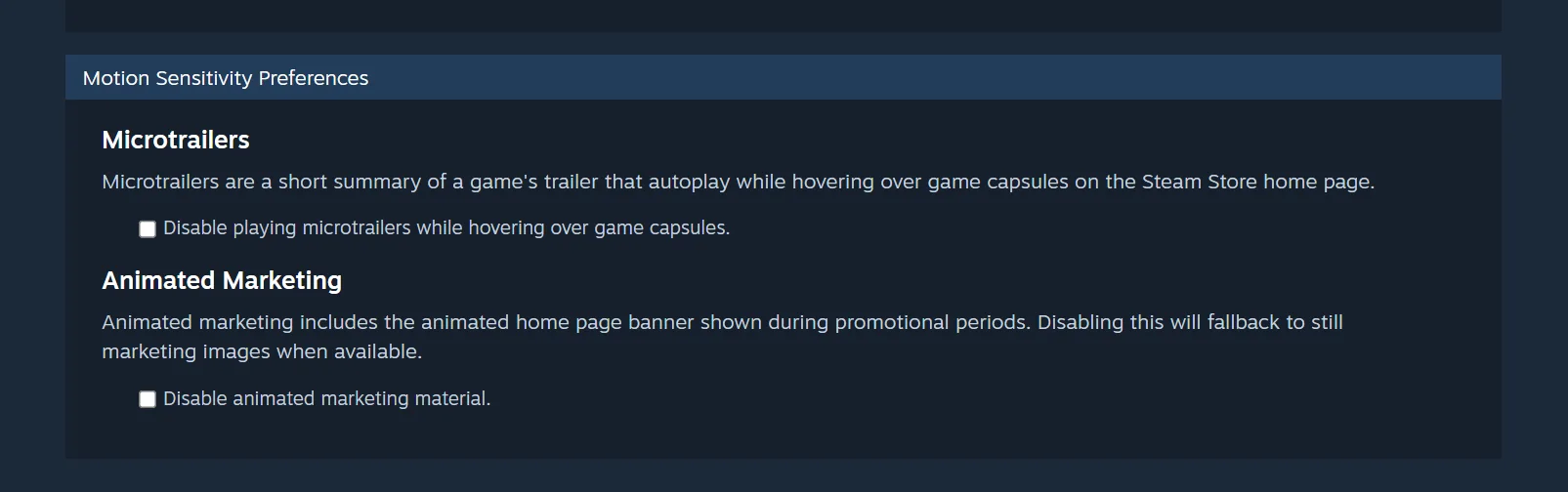
Disabling Microtrailers
New Sections And Discovery Improvements
Two new sections have been added to the homepage. The first is a Your Wishlist section, which highlights discounted games from your personal wishlist. The second is DLC for Your Games, surfacing discounted DLC for titles already in your library. Both are practical additions that save you from having to dig through sale pages manually.
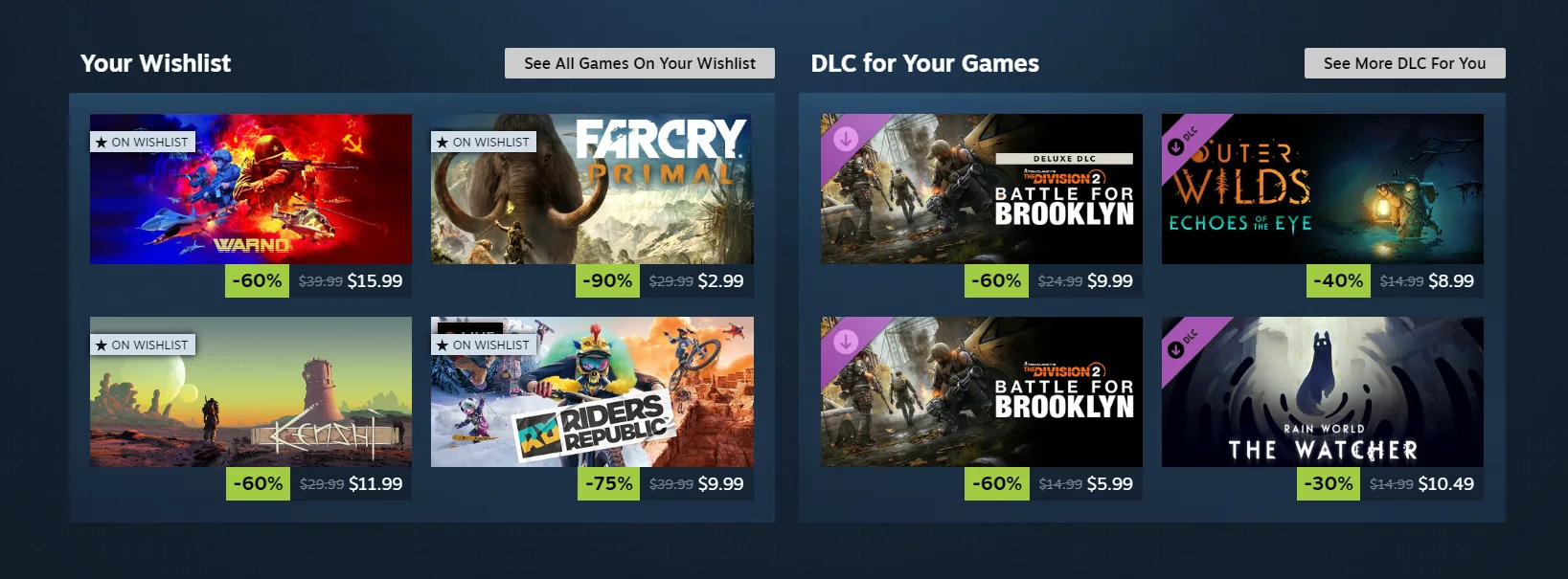
New Sections
The Discovery Queue has also been reworked. It now opens as a transparent overlay on the main page rather than pulling you into a separate view, which makes browsing through it noticeably quicker.

Updated Discovery Queue
The Discounts and Events section uses larger game artwork, and hover states across the store now display a short game description with improved contrast and legibility.

Discounts & Events
Read More: CS2 Animgraph 2 Beta Overhauls Third-Person Animations
Read More: Steam Deck 2 Targeting 2028 Release, but RAM Shortages Could Push It Back Further
Higher Resolution Art And A Wider Layout
One of the less flashy but genuinely appreciated changes is the move to higher resolution game art throughout the store. If you are running a higher resolution monitor, the homepage is now wider and more responsive, making better use of your display’s real estate. The difference is subtle at a glance but quite noticeable when compared side by side with the old layout, particularly on 4K screens where the previous design left a lot of empty space.
Infinite scroll has also been refreshed to bring it in line visually and functionally with the rest of the redesigned sections.
How To Try The New Steam Store Homepage
The redesign is currently in beta, so you will need to opt in through the Steam client to see it. Open your Steam settings, select the Interface tab, and under Client Beta Participation, choose Steam Beta Update from the dropdown. Steam will restart and download the beta client automatically. If you want to switch back later, follow the same steps and select No Beta instead.
Valve has not confirmed when the refresh will roll out to all users. That timeline will depend on feedback and data from the beta period, and the company is actively encouraging testers to share their thoughts through their feedback channels.