
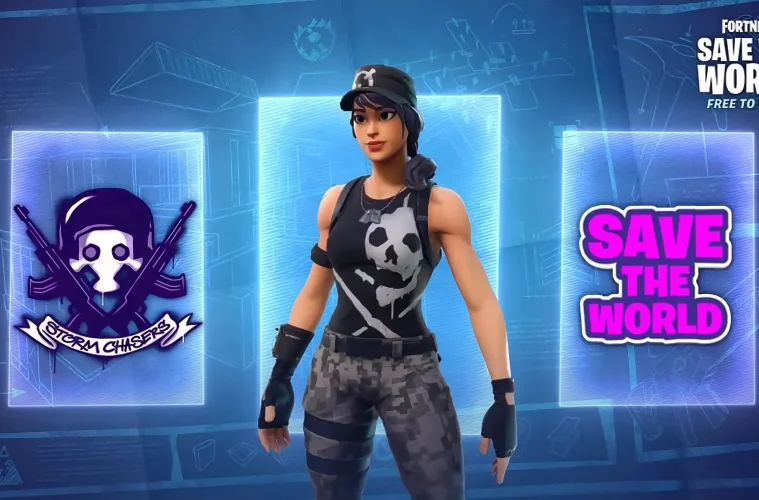
Fortnite Save the World has gone free to play with the launch of Act II of Fortnite Showdown, and Epic Games is marking the moment with a fresh batch of Twitch Drops. Three rewards are up for grabs, including a Legendary Hero exclusive to the PvE mode, but you only have a few days to earn them. Here’s exactly how to link your accounts, what to watch, and how long you need to sit through streams to unlock everything.
What You Can Earn From The Save The World Twitch Drops
There are three rewards tied to this Drops campaign, and each one requires a different amount of accumulated watch time on eligible Fortnite streams. Two of the items can be used in Battle Royale, while the Legendary Hero is locked to Save the World only.
| Reward | Watch Time Required | Where It’s Used |
|---|---|---|
| Save the World Mood Emoticon | 30 minutes | Battle Royale and Save the World |
| Storm Chasers Spray | 1 hour | Battle Royale and Save the World |
| Legendary Urban Assault Headhunter Hero | 4 hours | Save the World only |
The Legendary Hero is the headline reward here. Heroes from limited Drops campaigns rarely return to the Item Shop, so this is realistically your only window to grab the Urban Assault Headhunter without paying for it later through V-Bucks bundles or trades.
How To Link Your Twitch And Epic Games Accounts
Before any of your watch time counts, your Twitch and Epic Games accounts need to be linked. If you’ve done this for a previous Drops event, it’s still worth disconnecting and reconnecting to make sure the link is active, otherwise progress can silently fail to track.
Step By Step Account Linking
- Sign in to your Epic Games account on the Epic Games website.
- Open Account Settings and head to the Linked Accounts section.
- Find the Twitch icon and click Connect or Link.
- Sign in to your Twitch account when prompted and authorise the connection.
- If you’ve linked the two accounts for previous Drops, disconnect and reconnect them to refresh the handshake between the platforms.
Once that’s done, your Twitch viewing activity will be recognised by Epic and your watch time on eligible streams will start banking towards the rewards.
How To Earn The Drops On Twitch
The watch-time requirement is straightforward, but there are a few specific conditions that trip players up every campaign. Battle Royale streams will not count towards these particular Drops, even though they share the Fortnite category.
Find A Save The World Stream With Drops Enabled
- Open the Fortnite category on Twitch.
- Filter or scroll for streams playing Save the World specifically, not Battle Royale, OG, or Festival.
- Look for the Drops Enabled tag on the stream. If it isn’t there, your watch time will not count.
- Start watching, and keep the stream unmuted in an active browser tab. Twitch occasionally stops tracking progress on muted or background windows.
Claim Your Rewards Once You Hit Each Milestone
- When you reach a watch-time threshold, Twitch will send a notification that a Drop is ready.
- Open the Drops and Rewards menu on Twitch and click Claim on each unlocked item. They are not awarded automatically, you have to manually claim them.
- Claimed items should appear in your Fortnite Locker or Save the World inventory shortly after, though Epic notes it can take up to 24 hours in some cases.
Read More: Fortnite Save the World Is Now Free With a Free Skin to Boot After Nine Years
Known Issue With Drops Not Appearing
Epic Games has acknowledged that some players are not receiving their Twitch Drops even after meeting the watch-time requirements. The team is investigating and working on a fix. If your reward hasn’t shown up in Fortnite within 24 hours of claiming it on Twitch, this is the likely cause, and there’s no workaround beyond waiting for Epic to push the fix server-side. Avoid unlinking your accounts in the middle of an unresolved claim, as this can complicate the eventual delivery.
How Long You Have To Claim Everything
The Drops are live now and the watch-time window is tight. Earning has a hard cut-off, but claiming what you’ve already earned has a slightly longer grace period.
- Earning window: Drops can be earned through watching eligible streams until April 21 at 12 AM ET.
- Claim window: Any rewards you’ve already unlocked remain claimable in your Drops Inventory until April 28.
That gives you roughly four days from launch to clock the full four hours needed for the Legendary Hero. Stacking watch time during long Save the World streams, such as endurance runs or community events, is the most efficient way to bank the hours without babysitting the tab.
Why Epic Is Pushing Save The World Right Now
This Drops campaign is part of a broader push to bring players into Save the World now that the paywall is gone. Epic has also handed out a free Jess skin tied to the mode, and the developers have confirmed more updates are on the way for the long-running PvE experience. For players who never paid into the Founder’s Pack era, this is the most generous on-ramp the mode has ever had, and the Twitch Drops are stacked on top of it as an extra incentive to actually log in and play.
Expect more limited-time cosmetics tied to Save the World as Act II of Fortnite Showdown rolls out, and keep an eye on the Drops tab on Twitch through the rest of the season for similar campaigns.