
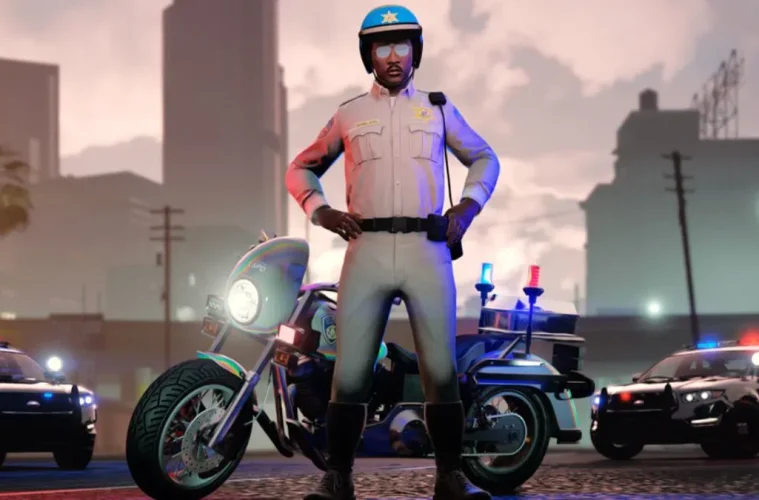
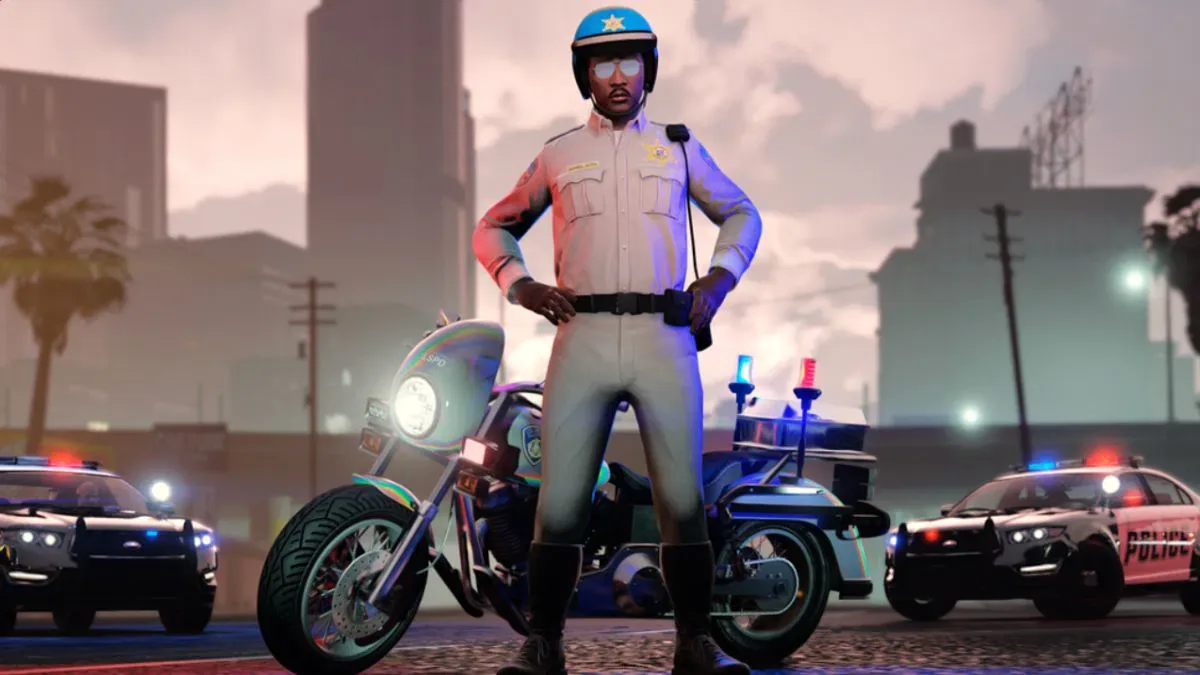
Rockstar Games is running a new Twitch Drops campaign for GTA Online, giving players the chance to pick up GTA$1,000,000 and the Winter Highway Patrol Outfit just for watching streams. The event ties into the returning Neighbourhood Watch Event and runs from 2 April to 15 April 2026, so there’s a limited window to get everything claimed.
Here’s the full breakdown of what’s on offer, how to set it up, and what you need to know before the campaign wraps up.
All GTA Online Twitch Drops Rewards
The rewards are split across four watch time milestones. Hit each one, and you unlock the next tier. The total haul adds up to GTA$1,000,000 in cash plus an exclusive outfit.
| Reward | Watch Time Required |
|---|---|
| GTA$250,000 | 2 hours |
| GTA$250,000 | 4 hours |
| GTA$500,000 | 6 hours |
| Winter Highway Patrol Outfit | 8 hours |
The Winter Highway Patrol Outfit is the standout here, since Twitch Drops rewards tend to be exclusive and don’t usually return to the game later. The GTA$ rewards are nothing to sneeze at either, particularly for newer players looking to fund businesses or vehicles.
How To Link Your Rockstar Games And Twitch Accounts
Before any of this works, you need your Rockstar Games account linked to Twitch. Without this step, watching streams won’t count toward any rewards. Here’s how to get it sorted:
- Sign in to your Rockstar Games account at the Social Club website.
- Click your profile avatar in the top-right corner.
- Select Account, then go to Settings.
- Find the Linked Accounts section.
- Under Twitch, select Link Account.
- Log in to Twitch and select Authorize.
Once that’s done, your accounts are connected and you’re eligible to earn rewards. You’ll also need a GTA Online character that has completed the online tutorial, so brand-new accounts may need a bit of setup first.
How To Find Drops-Enabled Streams
Not every GTA Online stream on Twitch will count. You need to find channels with the Drops Enabled tag, which appears at the top of the Twitch chat window when a streamer is participating in the campaign.
The quickest way to find eligible streams is to head to the GTA V category on Twitch and filter by the “DropsEnabled” tag under Live Channels. From there, pick any participating stream and let it run. It works perfectly fine in the background if you’re not planning to actively watch.
Read More: GTA 6 Marketing Starts Summer 2026 as Take Two Confirms No More Delays, November Release Locked
Read More: GTA 6 Publisher Take-Two Lays Off AI Team Head Despite Publicly Backing Generative AI
How To Claim Your Rewards
This is the step a lot of people miss. Rewards are not delivered automatically. Once you hit a watch time milestone, you need to visit your Twitch Drops Inventory and manually click Claim Now for each reward. If you forget to claim before 15 April, unclaimed drops will expire and you’ll miss out.
After claiming, rewards are delivered to your GTA Online account within 72 hours. Don’t panic if they don’t appear immediately, as there can be a delay before they show up in-game.
Supported Platforms
The Twitch Drops campaign supports all current GTA Online platforms, including PlayStation 5, PlayStation 4, Xbox Series X|S, Xbox One, and PC through the Rockstar Games Launcher, Steam, and the Epic Games Store. The Xbox PC app is also supported.
Don’t Sleep On The Deadline
With the campaign running until 15 April 2026, there’s still time to rack up the full eight hours of watch time and grab everything. The total commitment is manageable, especially since you can leave streams running in the background across multiple sessions. Just make sure your accounts are linked before you start watching, and remember to manually claim each reward from the Twitch Drops Inventory before the event ends.